
KrutiDev to Unicode Converter — Free Online Tool
Paste KrutiDev or Kurtidev legacy text below to get clean Unicode Devanagari for Word, Gmail, or WhatsApp. The converter maps common 010 and 10 layouts in your browser only—your text is never uploaded or stored. Free, unlimited characters, and no signup required.
Table of Contents
What Is a KrutiDev to Unicode Converter?
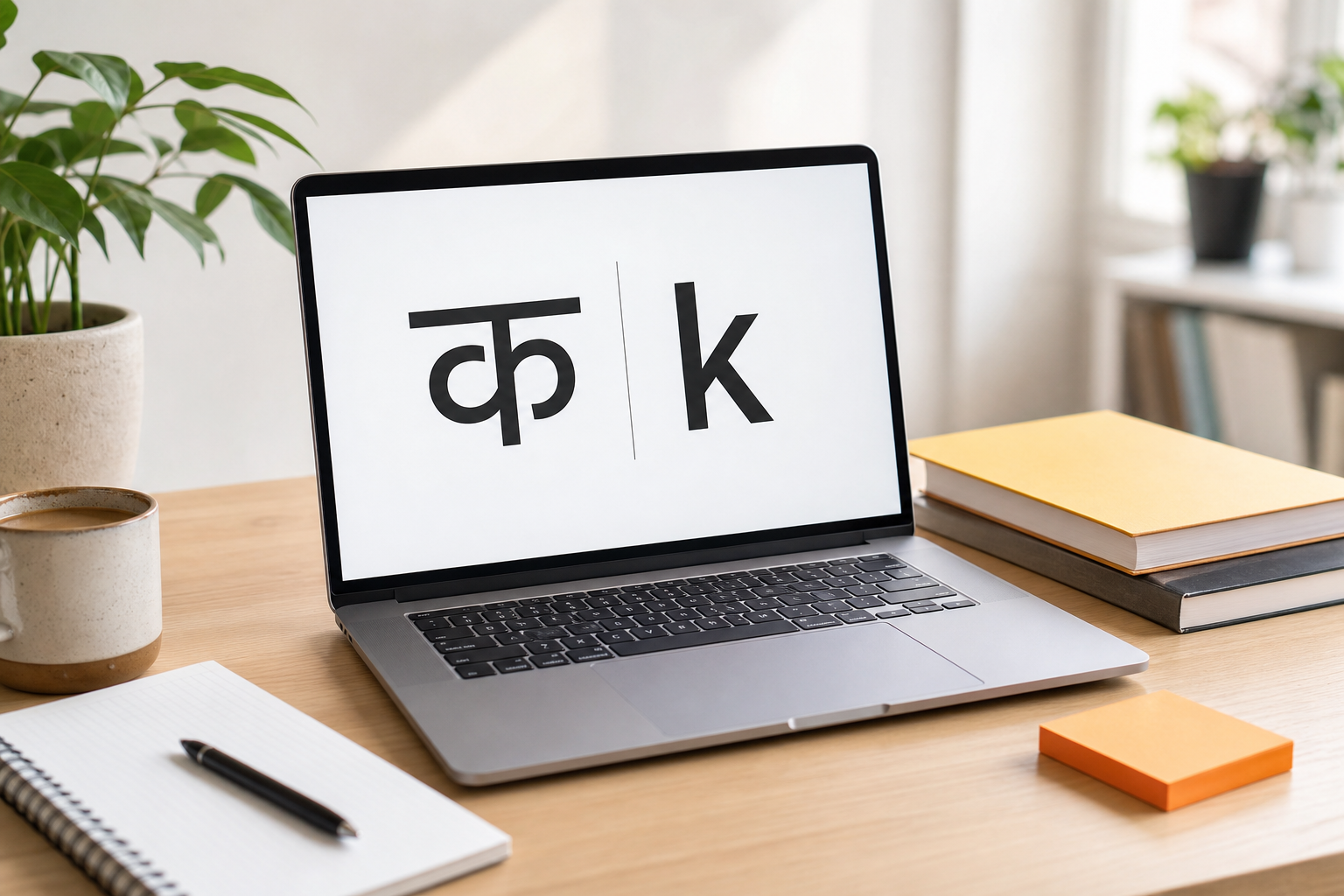
A KrutiDev to Unicode converter changes legacy Hindi font encoding into universal Unicode Devanagari. KrutiDev stores Hindi as remapped ASCII codes. The character क is stored as the letter d. Without the KrutiDev font installed, text shows as random English letters. Unicode stores क as code point U+0915. The aa-matra ा is the key k. Every modern device reads Unicode automatically. No font needed. This tool changes what your computer stores. Not just how the text looks. It is also called a non-Unicode to Unicode converter, a kruti dev to Unicode converter, and a KrutiDev Unicode converter online. All refer to the same operation.
The conversion direction on this page is KrutiDev (legacy) to Unicode (universal). To go the other way, convert Unicode Hindi to KrutiDev 010 on the homepage.
Key Takeaways
- Encoding Change: This KrutiDev Unicode converter changes what your computer stores, not just how it looks.
- Universal Display: Unicode output works on every device with zero font installation.
- Conversion Mode: Direction here is KrutiDev (legacy) to Unicode (universal).
- Reverse Mode: To convert Unicode to KrutiDev, use the Mangal to KrutiDev converter.
Mini FAQ
Is there any online tool that changes KrutiDev text to Unicode without software installation?
Yes. This browser-based KrutiDev to Unicode converter requires no software. Paste your text, select the version, and copy the Unicode output. The process takes under 10 seconds on any device with a modern browser.
What is the difference between a KrutiDev to Unicode converter and changing the font in Word?
Changing the font in Word only changes how text looks on screen. The underlying data stays as KrutiDev ASCII. This converter replaces the stored data. Each KrutiDev ASCII code is replaced with the correct Unicode Devanagari code point. The result works in Gmail, WhatsApp, and every web application.
How to Convert KrutiDev to Unicode Online — Step by Step
The entire conversion takes under 10 seconds.
Paste your KrutiDev text
Copy text from MS Word, a .txt file, or any KrutiDev document. Paste into the left input box. The tool accepts both visual Hindi and raw ASCII output. Both convert correctly.
Confirm you have KrutiDev 010 or 10 text
This converter maps KrutiDev 010 and KrutiDev 10 (same Remington table). It does not convert KrutiDev 055 Marathi. If a document was typed in 055, Chanakya, or DevLys, the output will be wrong — use a matching converter or retype in 010.
Get real-time Unicode output
Conversion runs character by character as you type or paste. No button click needed. The live word counter updates at the same time. This is useful for CPCT and state exam candidates tracking word count targets. The output is standard Unicode Devanagari, readable in Mangal, Nirmala UI, or any Unicode Hindi font on any device.
Use your Unicode output anywhere
Paste the Unicode output into WhatsApp, Gmail, Google Docs, MS Word, or any NIC portal. No font installation required on the receiving end.
- MS Word: Paste the output. Change the font to Mangal or Nirmala UI. Hindi displays correctly. KrutiDev font is not needed.
- WhatsApp and Telegram: Paste directly into the message box. Displays as correct Hindi on every Android and iPhone.
- Gmail: Paste directly into the compose window. Renders Unicode Devanagari on all email clients.
- Google Docs: Paste directly. Set font to Nirmala UI or Hind if needed.
- NIC portals (eOffice, DigiLocker, UMANG, eDistrict): Paste into form fields. All NIC portals accept Unicode only.
- WordPress or any CMS: Paste as standard text. Google indexes it as Hindi. KrutiDev on a website is indexed as meaningless ASCII.
Download your file
Use the toolbar icons to export your converted Unicode Hindi text as a .txt file, a Word document, or a PDF. All exports contain clean Unicode Devanagari that opens correctly on every device without any font.
Key Takeaways
- Version Selection: Wrong version breaks matras and conjuncts. Always match version to your document source.
- No Font Required: Unicode output works on every device immediately. No installation needed.
- Exam Word Count: The live counter helps CPCT and state exam candidates track targets in real time.
- Government Portals: All NIC portals accept Unicode only. KrutiDev is rejected or stored as garbled data.
Mini FAQ
How do I display KrutiDev converted text correctly in MS Word?
Paste the Unicode output into your document. Select all the pasted text. Change the font to Mangal or Nirmala UI. Your Hindi displays correctly without the KrutiDev font. Both fonts are included by default on most Windows systems.
How do I copy Hindi text from a KrutiDev Word file to a Google Form?
Paste the KrutiDev text from your Word file into this converter. Copy the Unicode output. Paste it directly into the Google Form field. The Devanagari text is stored and displayed correctly.
Real Example: How KrutiDev Text Becomes Readable Hindi
Take the phrase नमस्ते भारत. On a device without the KrutiDev font, it stores and displays as: ueLrs Hkkjr. These are raw ASCII characters that the KrutiDev font would normally render as Devanagari.
| Hindi Character | Name | KrutiDev ASCII Stored | Unicode Code Point |
|---|---|---|---|
| न | na | u (117) | U+0928 |
| म | ma | e (101) | U+092E |
| स् | s + virama | L (76) | U+0938 U+094D |
| त | ta | r (114) | U+0924 |
| े | e-matra | s (115) | U+0947 |
| [space] | space | space (32) | U+0020 |
| भ | bha | Hk | U+092D |
| ा | aa-matra | k (107) | U+093E |
| र | ra | j (106) | U+0930 |
| त | ta | r (114) | U+0924 |
The KrutiDev to Unicode converter reads each ASCII code. It finds the matching Devanagari code point. It replaces the stored data. The phrase नमस्ते भारत comes out as correct Unicode, readable on every device without any font.
Key Takeaways
- ASCII Representation: The input "ueLrs Hkkjr" is not broken text. It is correct KrutiDev ASCII displayed without its font.
- Keystroke Decoding: The kruti dev to Unicode converter recognises these ASCII values and maps them to Devanagari code points.
- Universal Portability: The output नमस्ते भारत works in WhatsApp, Gmail, and any website. No font needed on the receiving end.
What Is KrutiDev Font?
KrutiDev is India’s most widely used non-Unicode Hindi font family. Government offices, courts, educational institutions, and legacy desktop publishing software still depend on it.
When you press the d key with KrutiDev active, your computer stores ASCII code 100 — the Latin letter d. The font only displays it as the Hindi letter क. The aa-matra ा is the key k.
This is the core difference between Unicode and KrutiDev.
Unicode
Stores Hindi as real Devanagari code points. Works everywhere automatically. No font needed.
KrutiDev
Stores Hindi as remapped ASCII codes. Requires the KrutiDev font on every device to be readable.
The Remington to KrutiDev Evolution
The Mechanical Era
Mechanical typewriters in India used the Remington layout. Keys stamped ink glyphs onto paper. Typists memorised key positions like D for क and K for ा.
The ASCII Remapping
When computers arrived, ASCII supported only English. Developers mapped the Remington keys to ASCII codes and displayed Devanagari glyphs through a separate font. KrutiDev became the most widely adopted solution.
The Modern Legacy
Unicode is now the global standard. But state government systems, court registries, and publishing houses still mandate KrutiDev 010. Legacy software and pre-trained Remington typists keep it in use.
Remington Keyboard Key Visualizer
Keys cycle automatically — click any key to pause and inspect the mapping.
Interactive Character Remapping Catalog
Auto-scrolling Remington keystrokes and Unicode maps — hover to pause.
KrutiDev to Unicode Character Mapping — Standard Hindi Consonants
Every standard Hindi consonant has a fixed KrutiDev ASCII key and a permanent Unicode code point. This table covers the 24 most common consonants found in government documents, court records, and CPCT exam material.
| Hindi Character | Name | KrutiDev ASCII Key | Unicode Code Point |
|---|---|---|---|
| क | ka | d | U+0915 |
| ख | kha | [k | U+0916 |
| ग | ga | x | U+0917 |
| घ | gha | ?k | U+0918 |
| च | cha | p | U+091A |
| छ | chha | N | U+091B |
| ज | ja | t | U+091C |
| झ | jha | > | U+091D |
| त | ta | r | U+0924 |
| थ | tha | Fk | U+0925 |
| द | da | n | U+0926 |
| ध | dha | /k | U+0927 |
| न | na | u | U+0928 |
| प | pa | i | U+092A |
| फ | pha | Q | U+092B |
| ब | ba | c | U+092C |
| भ | bha | Hk | U+092D |
| म | ma | e | U+092E |
| र | ra | j | U+0930 |
| ल | la | y | U+0932 |
| व | va | o | U+0935 |
| स | sa | l | U+0938 |
| ह | ha | g | U+0939 |
| ड | da (retroflex) | M | U+0921 |
Reference: The Unicode Standard, Version 15.1. Unicode Consortium.
Accuracy Testing Summary
Mapping aligned with SIL KrutiDev010.map and LTRC kru2uni. Figures below are pass rates on the verified Remington regression corpus in tests/krutidev010. KrutiDev 055 is not converted.
| Character Category | Accuracy |
|---|---|
| KrutiDev 010 - standard consonants | 100% corpus |
| KrutiDev 010 - i-matra reordering | 100% corpus |
| KrutiDev 010 - all 12 matras | 100% corpus |
| KrutiDev 010 - half-characters (halant) | 100% corpus |
| KrutiDev 010 - conjunct consonants (क्ष, त्र, ज्ञ) | 100% corpus |
| KrutiDev 10 - same table as 010 | 100% corpus |
| KrutiDev 055 - Marathi | Not converted |
"Character identities follow SIL KrutiDev010.map. Conversion order follows the Remington/LTRC algorithm (Z-reph, z-rakar, i-matra). The verified fixture corpus in tests/krutidev010 is the accuracy source of truth — not an unpublished 99.9% claim."
Akshay Verma — Software Developer and Hindi Typing Expert
Known limitations: Mixed English letters in KrutiDev ASCII are encoding keys, not English. ASCII digits are preserved. KrutiDev 055, Chanakya, and DevLys are not converted. Scanned PDFs require OCR first.
Your Output Is Mangal-Compatible Unicode
The Unicode output from this kruti dev to Unicode converter is fully compatible with Mangal font, Nirmala UI, Aparajita, and every other Unicode Hindi font. If you need to "convert KrutiDev to Mangal," this tool handles that. Mangal is not a separate encoding system. It is a Unicode font. After pasting the output into MS Word, simply select Mangal from the font list. Your Hindi displays correctly. Going the other way from Windows Hindi? Use the Nirmala UI to KrutiDev tool.
Why Convert KrutiDev to Unicode? 5 Real Problems It Solves
Legacy font encoding causes daily problems across communication, publishing, and government workflows. Here is how converting to Unicode fixes each one permanently.
Problem 1: KrutiDev Breaks on every Mobile Device
WhatsApp, Telegram, and SMS apps do not have KrutiDev font installed. Recipients see random English letters. Unicode Hindi displays correctly on every Android and iOS device by default.
Problem 2: Google cannot index KrutiDev text as Hindi
Google’s crawler reads KrutiDev as Latin ASCII. Hindi blog posts written in KrutiDev do not rank for Hindi queries. After converting to Unicode, every word becomes indexable as Devanagari.
Problem 3: Government Portals Reject KrutiDev input
All NIC portals including eOffice, DigiLocker, and UMANG accept Unicode only. The Rajbhasha Vibhag recommends Unicode-compliant fonts for all digital government communications.
Converting KrutiDev to Unicode before portal submission takes 10 seconds. Retyping a full document from scratch takes hours.
Reference: rajbhasha.gov.in, Official Language Act, 1963, Ministry of Home Affairs, Government of India.
Problem 4: Legacy archives are locked and unsearchable
Courts, secretariats, and newspaper offices hold decades of KrutiDev documents. This text cannot be searched or processed without the specific font. Converting to Unicode produces machine-readable, searchable text. This aligns with the Digital India Programme’s digitisation mission.
Reference: Digital India Programme, Ministry of Electronics and Information Technology. meity.gov.in
Problem 5: DTP content cannot move to digital platforms
Hindi newspaper and book production has used KrutiDev for decades. Moving print content to websites, e-papers, or apps requires Unicode encoding. One conversion replaces hours of retyping.
Mini FAQ
Why does KrutiDev text show as symbols on WhatsApp?
WhatsApp does not have the KrutiDev font installed. KrutiDev relies on the font file to display Hindi. Without it, the underlying ASCII appears as Latin text. Unicode is built into every Android and iOS operating system by default. No font is needed.
Why is my Hindi blog content not appearing in Google search results?
If your content is in KrutiDev, Google reads it as ASCII, not as Devanagari. After converting to Unicode and republishing, every word becomes fully indexable as Hindi content.
Is there an online KrutiDev to Unicode converter for government portal submissions?
Yes. Paste your KrutiDev text here, select version 010, copy the Unicode output, and paste directly into any NIC portal field. The text is stored correctly in the system database.
Who Needs a KrutiDev to Unicode Converter?
From Hindi bloggers to Rajbhasha officials, here is how different professionals use this online KrutiDev Unicode converter every day.
Government typists and Rajbhasha officials
All NIC-powered portals accept Unicode only. These include eOffice, DigiLocker, UMANG, and eDistrict. KrutiDev text pasted directly is rejected or stored as garbled data. Converting takes 10 seconds. Retyping a full document takes hours.
Court Typists and Legal staff
District courts across UP, MP, Rajasthan, and Bihar store records in KrutiDev. Filing on eCourt or eDistrict portals requires Unicode. Text never leaves your browser here. Confidential case records stay entirely on your device.
CPCT and State exam Candidates
Convert practice paragraphs to Unicode before sharing on WhatsApp with coaching groups. Check typed output against Unicode answer keys. Paste into Google Docs for review.
Hindi Journalists and Publishers
Convert KrutiDev field correspondent files to Unicode before publishing to websites or CMS platforms. No retyping. No copy errors.
Hindi Bloggers and Content Creators
KrutiDev text published on a website is indexed by Google as Latin ASCII. It is invisible to Hindi search queries. Converting to Unicode before publishing makes every word indexable as Devanagari.
Why Do Government Offices Still Use KrutiDev in 2026?
The short answer: switching is expensive and slow.
The 1990s Problem
When computers arrived in Indian government offices, Unicode did not support Devanagari. Developers remapped the Remington typewriter layout to ASCII keys and displayed Devanagari through a separate font. KrutiDev became the most widely adopted solution.
The Infrastructure Lock-In
State governments built entire database systems around KrutiDev ASCII. Court management software stores case records as KrutiDev strings. Exam result systems validate output against KrutiDev character codes. Replacing these systems requires budget, time, and migration testing across hundreds of district offices.
The Workforce Factor
Millions of typists are trained on the Remington layout at 30 to 40 words per minute. Retraining on InScript (the Unicode layout) means months of lower productivity. State exam boards are slow to update requirements while a large portion of the workforce is mid-career.
The Rajbhasha Policy Gap
The Department of Official Language recommends Unicode for new public-facing digital services. But it does not mandate a deadline for retiring legacy internal systems. This creates a dual-format reality: Unicode for websites and portals, KrutiDev for internal files and legacy printers.
Why migration stays slow
- Replacing legacy database schemas is expensive and risky
- Trained typists are faster on Remington layout than InScript
- State exam boards update requirements slowly
- Older DTP workflows in PageMaker and CorelDRAW depend on KrutiDev
The result: A government typist in 2026 may draft a document in Mangal, convert it to KrutiDev for internal submission, then forward a Unicode copy to a central portal. This online KrutiDev to Unicode converter fits exactly into that daily workflow.
Which KrutiDev Version Is Required for Government Typing Exams?
KrutiDev 010 is the government standard for all major state typing certification exams in North and Central India.
| State / Exam Body | Exam Name | Font Required | Version | Official Source |
|---|---|---|---|---|
| Madhya Pradesh | CPCT / MPPEB | KrutiDev | KrutiDev 010 | mp.gov.in / CPCT guidelines |
| Uttar Pradesh | UPSSSC, UP Lekhpal | KrutiDev | KrutiDev 010 | UPSSSC official notifications |
| Rajasthan | Patwari / RSMSSB | KrutiDev | KrutiDev 010 | RSMSSB official notifications |
| Bihar | BPSC typing posts | KrutiDev | KrutiDev 010 | BPSC official notices |
| Maharashtra | State government | KrutiDev | KrutiDev 055 (Marathi) | Maharashtra govt circulars |
| Central Govt | New digital portals | Unicode | Mangal / Nirmala UI | Rajbhasha Vibhag, MHA |
Which KrutiDev version is required for government typing exams?
KrutiDev 010 is required for CPCT (Madhya Pradesh), UP Lekhpal, Rajasthan Patwari, and UPSSSC. For Marathi exams in Maharashtra, the requirement is KrutiDev 055 — download that font separately; this converter does not convert 055.
Should You Convert KrutiDev to Unicode?
Match your destination. Convert when the receiving system is Unicode-first. Keep KrutiDev only for legacy internal pipelines.
Convert to Unicode
- WhatsApp, Telegram, or SMS KrutiDev shows random letters on phones without the font.
- eOffice, DigiLocker, UMANG, NIC portals NIC portals accept Unicode only. KrutiDev is rejected.
- Website, blog, or CMS KrutiDev is invisible to Google and unreadable in browsers.
- Gmail or any email client Email renders Unicode Devanagari natively. KrutiDev breaks.
- Google Docs, Sheets, or Forms Google Workspace uses Unicode throughout.
- Long-term archive / search KrutiDev archives cannot be searched without the font.
Keep KrutiDev
- Legacy court DMS or secretariat system These systems still require KrutiDev ASCII format.
- PageMaker or CorelDRAW print workflow Legacy DTP software expects KrutiDev encoding.
Common Myths About KrutiDev to Unicode Conversion
These are the most common misunderstandings about how font encoding actually works.
Myth 1: Changing the font to Mangal in Word converts KrutiDev text to Unicode.
Truth: Changing the font in Word only changes the visual display. The underlying data stays as KrutiDev ASCII. If you paste the text into WhatsApp after changing the font in Word, it still shows as random letters. Only an encoding converter replaces the stored data.
Myth 2: KrutiDev and Unicode are just two different fonts for the same text.
Truth: KrutiDev and Unicode are two different encoding systems. They are fundamentally different methods of storing text data. Unicode stores क as code point U+0915. KrutiDev stores the same visible character as ASCII code 100, the letter d. They are not interchangeable fonts. They store different data.
Myth 3: Any online converter produces accurate KrutiDev to Unicode output.
Truth: Accurate conversion requires correct i-matra reordering, correct conjunct character handling, and correct version selection. Most free online converters skip one or more of these. Words containing ि get reversed. Conjuncts like क्ष and त्र break. Version-specific characters come out wrong. This converter addresses all three issues against SIL KrutiDev010.map and the Remington regression corpus.
Common Errors and Fixes
Click any error to expand the cause and fix.
Error 1: KrutiDev text showing symbols instead of Hindi
Cause
KrutiDev stores ASCII characters, not Hindi natively. These only look like Hindi when the KrutiDev 010 font is active on your device. Pasting into an app without the font shows random English letters or symbols.
Fix
Download and install the KrutiDev 010 font (.ttf) on your computer. Open your document. Select the pasted text. Change the font to KrutiDev 010. Symbols display as Hindi immediately.
Error 2: Half-characters or ZWJ conjuncts convert incorrectly
Cause
Hindi half-characters use the halant mark (virama, U+094D). Some text uses ZWJ (Zero Width Joiner, U+200D) to form conjuncts. ZWJ-based conjuncts do not map reliably to KrutiDev encoding.
Fix
Remove ZWJ characters from the input text before converting. Halant-based half-characters are in the Remington/SIL corpus. ZWJ conjuncts may need a manual check.
Error 3: Output box empty or tool not responding
Cause
JavaScript is disabled, or a browser extension is blocking the tool. This converter processes text locally using JavaScript and cannot work without it active.
Fix
Enable JavaScript in your browser settings. Turn off ad blockers temporarily. Use Google Chrome if you are on another browser.
Error 4: Text looks correct in preview but wrong in MS Word
Cause
The text is pasted into Word but the font is still set to Mangal, Calibri, or another Unicode font. The conversion is correct. The font selection in Word needs to change.
Fix
Select all the pasted text in Word. Open the font name box in the Home ribbon. Type "Kruti Dev 010" and press Enter. Hindi text displays correctly immediately.
Key Takeaways
Frequently Asked Questions
Common questions about the KrutiDev to Unicode converter, answered directly.
Is there any software that can convert KrutiDev to Unicode?
Yes. This browser-based KrutiDev to Unicode converter requires no software installation. Paste KrutiDev 010 or 10 text and copy the Unicode output. The process takes under 10 seconds on any device. It works on Windows, Mac, Android, and iPhone without signup, and keeps exam papers or office files private because conversion stays inside your browser.
How do I convert a Hindi non-Unicode font to a Unicode font online?
Paste the non-Unicode KrutiDev 010 or KrutiDev 10 text into the input box on the left. Copy the Unicode Devanagari output. The converter replaces each Remington ASCII code with the correct Unicode code point. The result works on every platform without a font. KrutiDev 055 is not supported.
How to convert KrutiDev to Mangal font in MS Word?
Paste your KrutiDev text into this converter. Copy the Unicode output. Paste into MS Word. Select all the pasted text. Change the font to Mangal or Nirmala UI. Your Hindi displays correctly without the KrutiDev font. This workflow is useful when sharing CPCT notes or court drafts with colleagues who only have Unicode fonts installed on their PCs.
What happens to matras and half-characters during KrutiDev to Unicode conversion?
This converter handles i-matra reordering, all 12 matras, Remington Z-reph, z-rakar, nukta, and halant-based half-characters. The mapping is regression-tested against SIL KrutiDev010.map and LTRC kru2uni. Mixed English letters inside KrutiDev ASCII are treated as Hindi keys. For routine government Hindi, matras and half-forms convert without extra editing steps.
Can I convert KrutiDev to Unicode on my phone without installing any app?
Yes. Open this online KrutiDev to Unicode converter in Chrome, Safari, or Firefox on Android or iPhone. Paste your text and copy the output. No app installation is needed. The tool runs entirely in your mobile browser, so officers and students can convert files from WhatsApp or email attachments while away from a desktop.
Why does my converted Unicode text look garbled when I paste it into a website?
The website is applying a legacy KrutiDev font to the text field. Unicode Devanagari only breaks when a non-Unicode font is forced on top of it. Try pasting into a plain-text field first. If the problem continues, contact the site administrator.
How accurate is this KrutiDev Unicode converter?
On the verified Remington/SIL regression corpus: 100% for independent vowels, 12 matras, Z-reph, z-rakar, nukta, listed conjuncts, and half-forms. ASCII digits are preserved. The tool does not convert KrutiDev 055, Chanakya, or mixed English words typed in the same ASCII stream.
Can I convert KrutiDev Marathi text (055) using this tool?
No. This engine maps KrutiDev 010 / KrutiDev 10 (Hindi Remington) only. KrutiDev 055 is a Marathi font with a different encoding; there is no 055 conversion path on this site. Download 055 from the font page if you need the typeface, but do not run Maharashtra Marathi 055 text through this converter.
Is there a KrutiDev to Unicode converter that works offline?
This tool processes text locally using JavaScript. Once the page has loaded, conversion continues to work even if your internet drops. Your text never leaves your browser at any point. That privacy model suits confidential office notes, exam answer keys, and legal drafts that should not travel over a public network.
How long does it take to convert a 1,000-word KrutiDev document to Unicode?
Under 2 seconds after pasting. Conversion is real-time. The live word counter confirms the word count before you copy the output. Even multi-page KrutiDev 010 files from Word or Notepad finish almost instantly on a phone or laptop, so coaching batches and office queues move without waiting for uploads.
कृतिदेव को यूनिकोड में कैसे बदलें?
ऊपर दिए गए बॉक्स में अपना कृतिदेव 010 या कृतिदेव 10 टेक्स्ट पेस्ट करें। यूनिकोड आउटपुट कॉपी करें। पूरी प्रक्रिया 10 सेकंड से कम में पूरी होती है। कृतिदेव 055 मराठी इस टूल में नहीं बदलता।
क्या यह KrutiDev to Unicode Converter मोबाइल पर काम करता है?
हाँ। यह टूल Android और iPhone दोनों पर किसी भी आधुनिक ब्राउज़र में काम करता है। Chrome, Safari, या Firefox पर खोलें और सीधे उपयोग करें। कोई ऐप इंस्टॉल करने की जरूरत नहीं है।
क्या मेरा टेक्स्ट किसी सर्वर पर अपलोड होता है?
नहीं। यह टूल पूरी तरह आपके ब्राउज़र में चलता है। आपका कोई भी टेक्स्ट किसी सर्वर पर नहीं भेजा जाता। सरकारी दस्तावेज़, अदालती रिकॉर्ड, और व्यक्तिगत जानकारी पूरी तरह सुरक्षित रहती है।
References
- The Unicode Standard, Version 15.1. Unicode Consortium. unicode.org/versions/Unicode15.1.0/
- Official Language Act, 1963. Department of Official Language, Ministry of Home Affairs. rajbhasha.gov.in
- CPCT Guidelines. Madhya Pradesh Professional Examination Board. peb.mp.gov.in
- Digital India Programme. Ministry of Electronics and Information Technology. meity.gov.in
- Bureau of Indian Standards. Hindi / Devanagari keyboard standards. bis.gov.in
- GSMA Intelligence Mobile Economy India Report, 2024. gsma.com